Local MCP Server (ChatGPT Work)
ChatGPT connects to Bluente through the local MCP server — the same open-source stdio server documented on the Local MCP Server page, run by ChatGPT on your own machine via npx. New to Bluente MCP? Start with the overview for how billing, settings, and download links work.
This page covers setup only. For the API key, the tool list, and the translation settings, see Local MCP Server.
1. Switch to Work mode
MCP servers are only available in ChatGPT’s Work mode. Use the Chat / Work toggle at the top of the window and make sure Work is selected — in Chat mode there is no Plugins page and no MCP support.
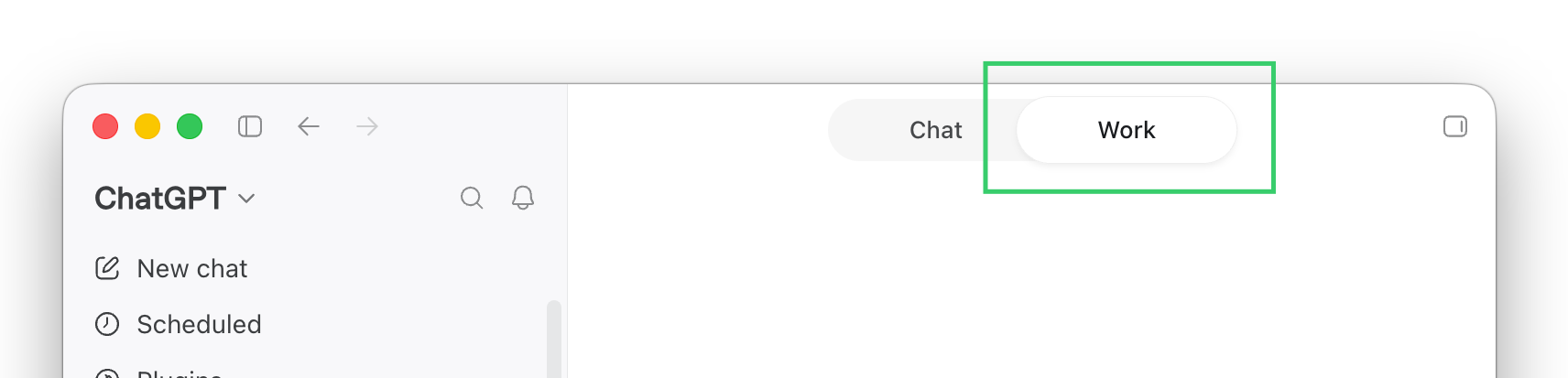
The Chat / Work toggle at the top of ChatGPT. MCP servers only exist under Work.
2. Add an MCP server
Go to Settings → Plugins. The page has tabs — Plugins / Apps / MCPs / Skills / Marketplace. Open the Add dropdown at the top right and choose Add MCP server.
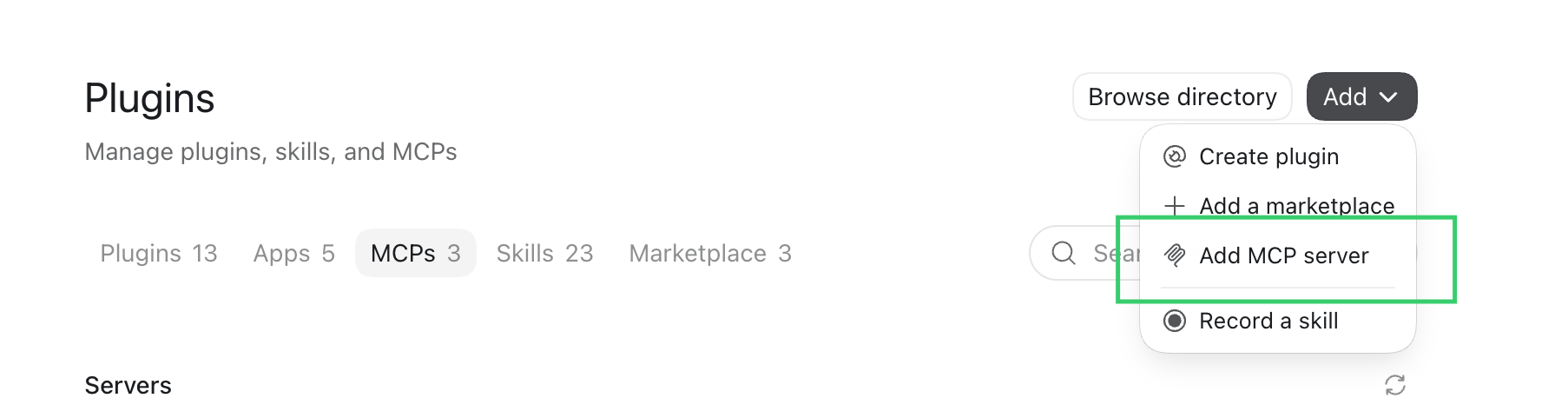
Settings → Plugins → Add → Add MCP server.
3. Fill in the configuration
| Field | Value |
|---|---|
| Name | BluTranslate |
| Type | STDIO |
| Command to launch | /opt/homebrew/bin/npx |
| Arguments — row 1 | -y |
| Arguments — row 2 | @bluente/translate-mcp-server |
| Environment variables | Key BLUENTE_API_KEY, value = your API key |
| Env passthrough | (empty) |
| Working directory | (empty) |
/opt/homebrew/bin/npx is an example, not a universal answer. It is the Homebrew path on Apple-Silicon macOS. Run which npx in a terminal and use whatever absolute path it prints — commonly /opt/homebrew/bin/npx on Apple Silicon, /usr/local/bin/npx on Intel macOS or Linux, or an nvm path like ~/.nvm/versions/node/<version>/bin/npx. An absolute path is required: the plugin host does not resolve npx from a shell PATH.
The two arguments go in as two separate argument rows — -y in one, @bluente/translate-mcp-server in the next — not as a single string.
Your API key comes from your Bluente dashboard, API keys tab; see API Key.
4. Verify it works
In ChatGPT Work, type exactly:
@BluTranslate what languages does Bluente Translation support?A language list back means the key and the connection both work. The first run takes a few extra seconds while npx downloads the package.